Managing Groups
Groups are one of the most important features in the system as it effects user management throughout the system. Group functionality is used in the Dispatcher, Messaging, and PTT Channels. In the Dispatcher, groups provide access to user details, enable you to create dispatch rules and show users on the map according to group. Groups also affect the management of the Control Center, see Secondary Control Centers.
When defining groups it is recommended to keep the group organization neat and simple, meaning you should keep the group structure as close as possible to the actual structure in the organization, and then, only create the groups you really need. Having unnecessary groups, requires more effort to manage and maintain groups when you add new users to the system.
Manage groups from the Groups Settings page where you can create, edit or delete groups in the organization.
To manage groups
- From the Main screen, select Settings (gear).

The Groups page opens in a new tab. Groups lists all the groups in the organization and their related information.
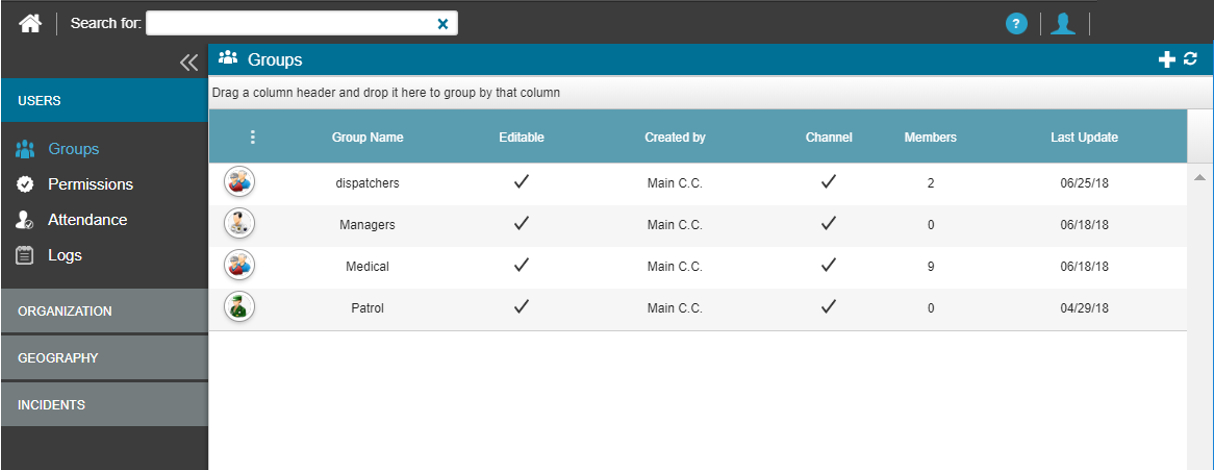
Users only see the groups to which they have access to view, based on the Control Center Groups jurisdiction.


